Integrity
The app runs an integrity check of the Electron application code. This check ensures that the application was not unpacked, altered and re-packed.
This check is done through a checksum of the asar file. We get the checksum and compare it against our list of valid checksums per version on Control. This is handled by the middleware.
In the middleware, any internal release candidates (any version with the dev suffix) return OK. The actual checksum comparison happens only for production versions.
Checksum list maintenance
Given the above implementation, we need to maintain our valid checksums. For every production version, we must get the right checksum of our final packages, and add them into an entry in Control.
If there are multiple builds per environment (itg, stg, production) with the same version, then each build will have its own, unique checksum. All of them need to be listed in its respective Control entry.
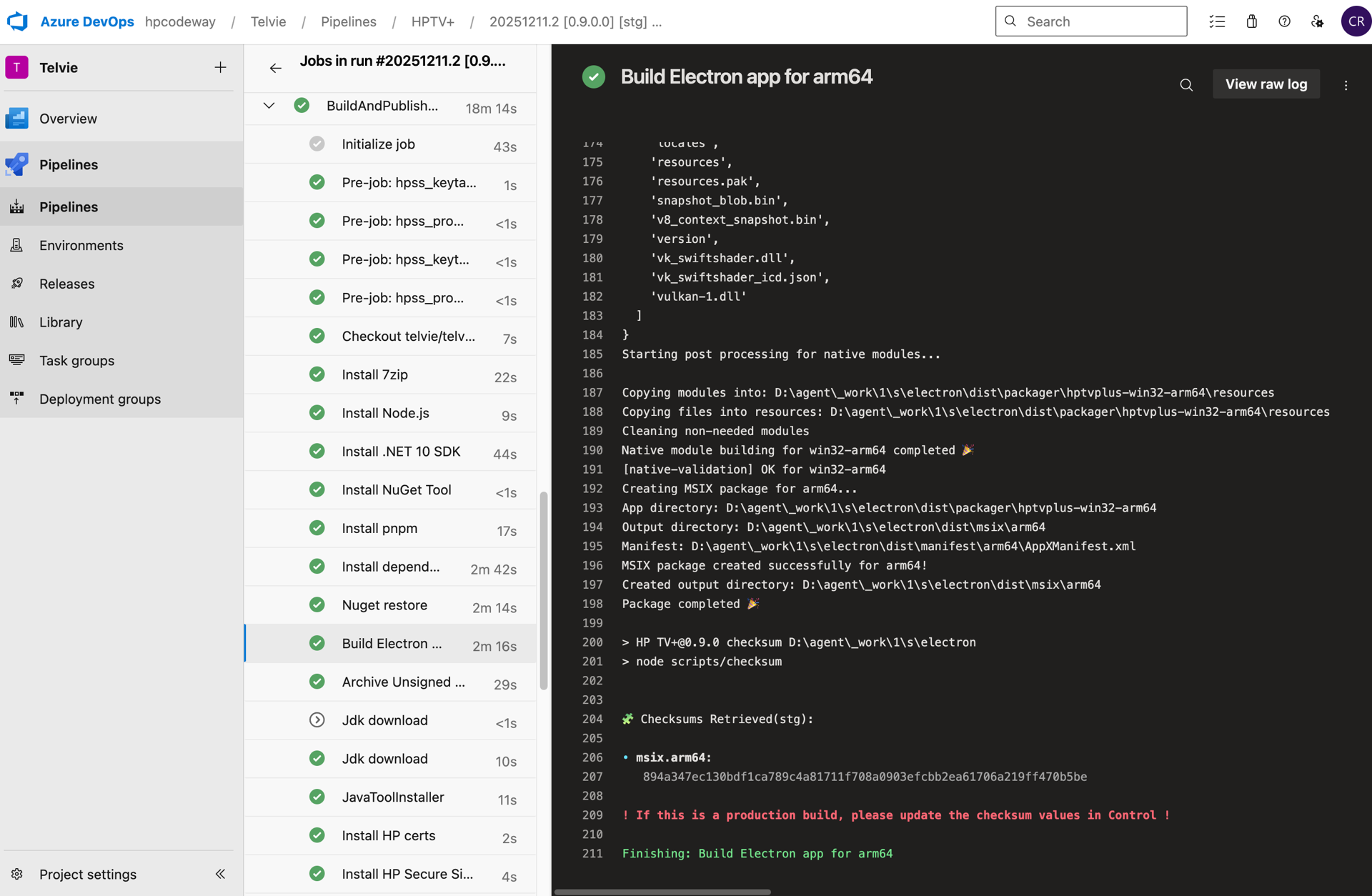
Once the packaged files are generated, we can run pnpm checksum on electron/package.json to retrieve the checksum of the final builds. These checksums will also be logged during the building process (see below) when generating a build.
Below we can see how the checksum is printed in the Build Electron app step on HP’s Azure pipelines.
Control versions
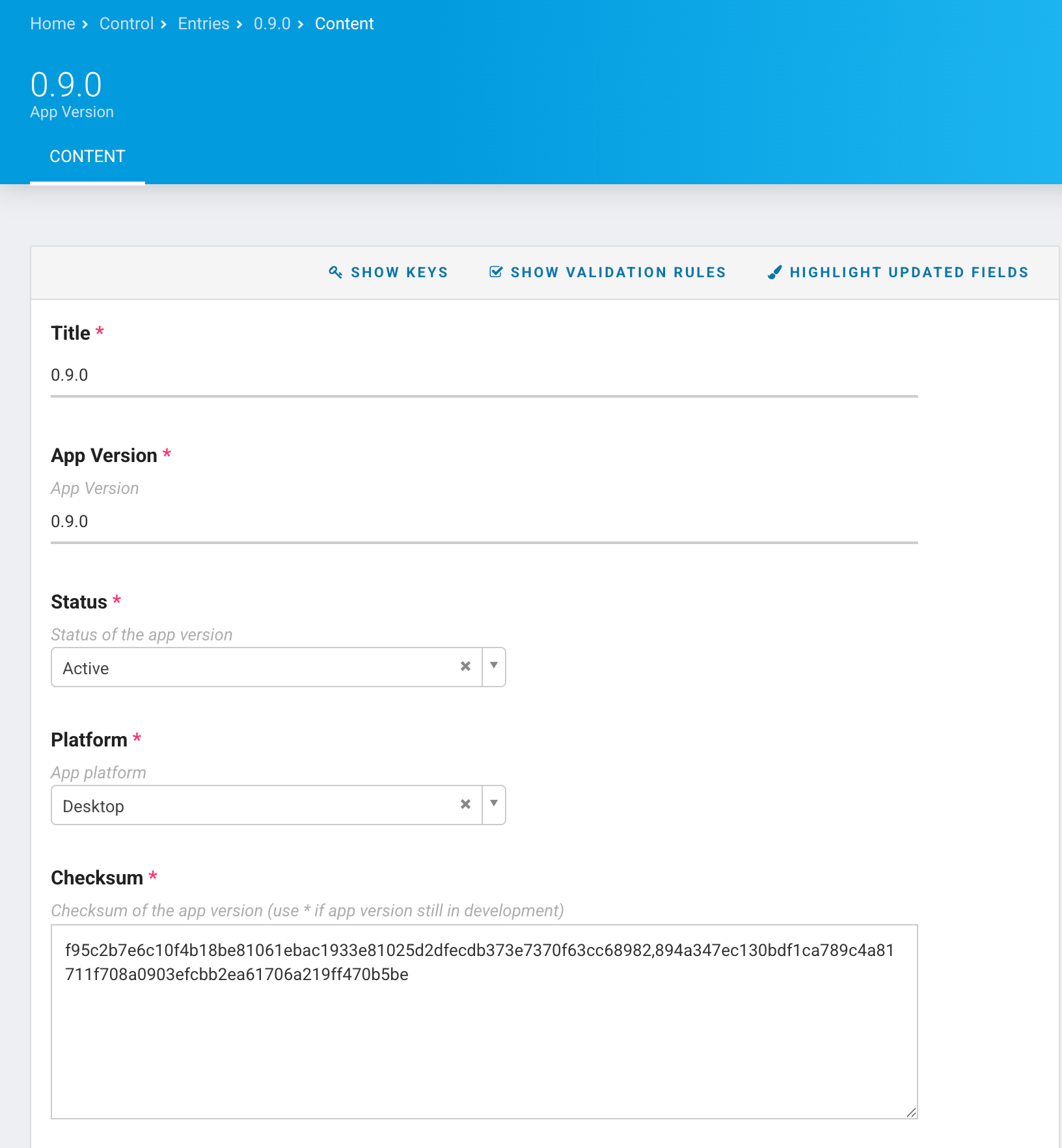
To add a new version in Control, you must create a new entry of type App Version. Specify the version number (without the v prefix) and the expected checksum. This is the value that the middleware will use to compare it against what the app retrieves at runtime. You should also set the Status to Active for the latest version.
These should be versions from electron, not elevate.
If you don’t want a previous version to be available to users, update the entries of the previous version to a different Status. Right now the values are
Update RecommendedDeprecatedIn Development
The electron app will only pass the check if the response from the middleware is OK.
We get an OK if:
- The version of the checksum passed is
ACTIVE, AND if the checksum itself is the same as the one on Control - The version of the checksum passed is
In Development
Any other status different than an OK will fail the check, and the app won’t open, resulting in a app is corrupted error modal.
Each valid checksum needs to be added. Multiple checksums need to be comma-separated.
Version List
The version list in Control accepts entries of type Version. Once you have created a new App Version entry, add it to the App Version List here.
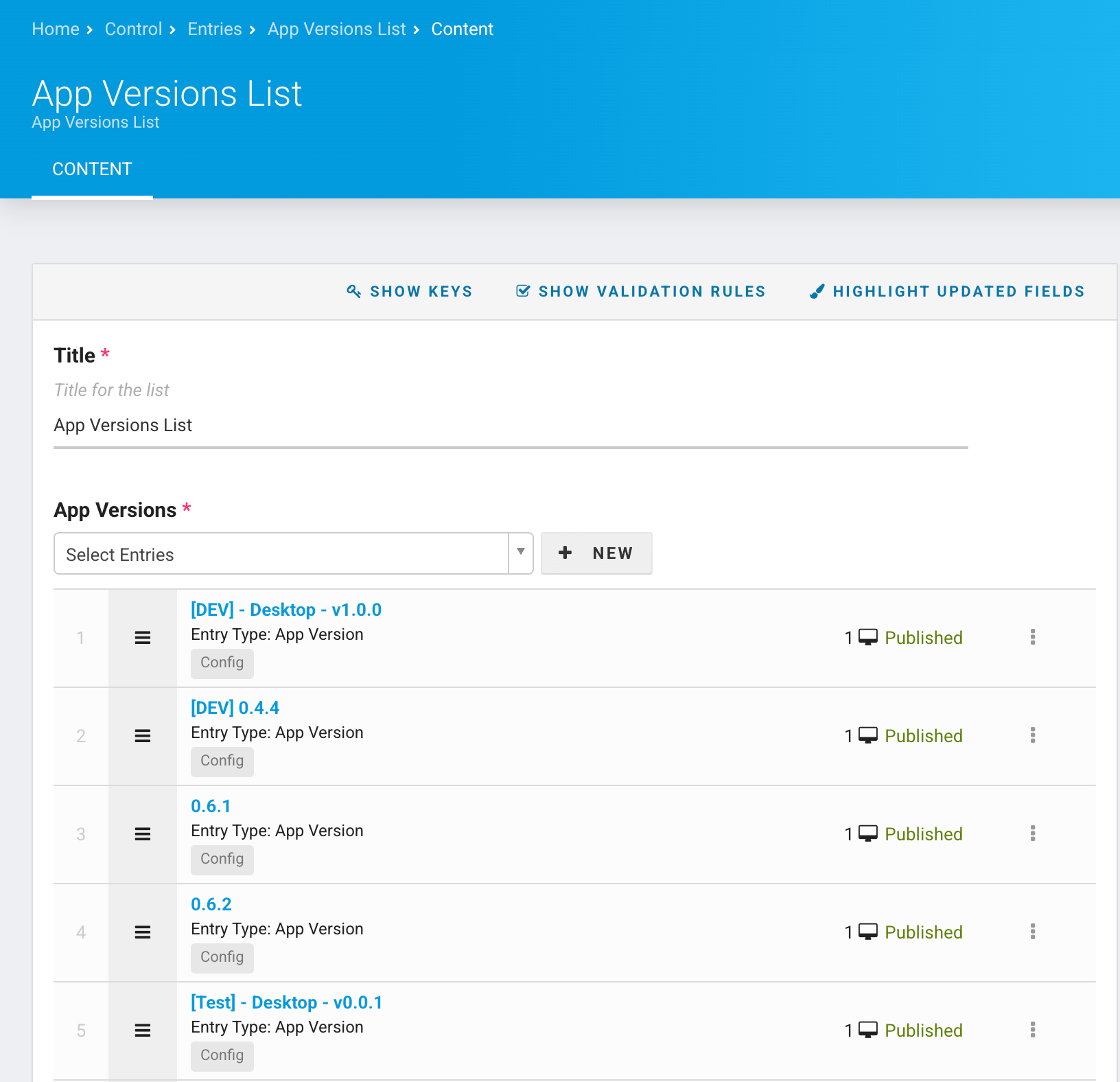
The Middleware, which fetches this list to determine if the checksum received from an app is correct, will only fetch the first 2 pages. This means that we must maintain this list to keep less that 40 entries.
Please do periodic cleans ups on this list, removing the oldest Version entries